Delta Air Lines
From Device Sprawl to One Operational View
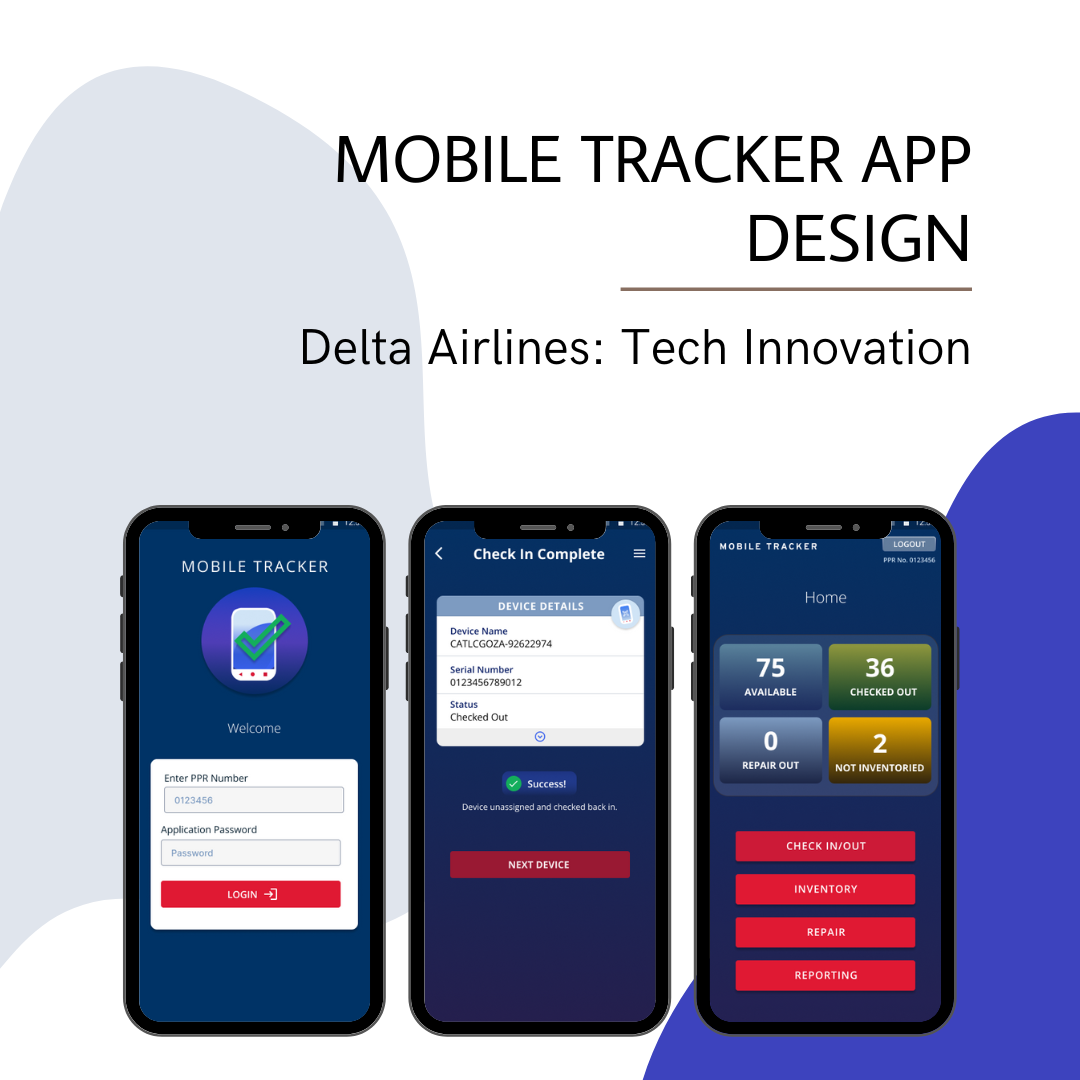
Delta IT invited me to lead the mobile UX for an employee device-management concept. I translated fragmented inventory, assignment, and repair workflows into a prototype that made the product opportunity concrete: help teams understand device status and act on it with less operational friction.
PROJECT NOTES
At a glance
My role
My contribution
- Led mobile UX from discovery and workflow mapping through prototype testing.
- Translated the needs of IT, operations, and repair teams into shared workflows and role-specific information needs.
- Prioritized core tasks and interaction states within the mobile concept.
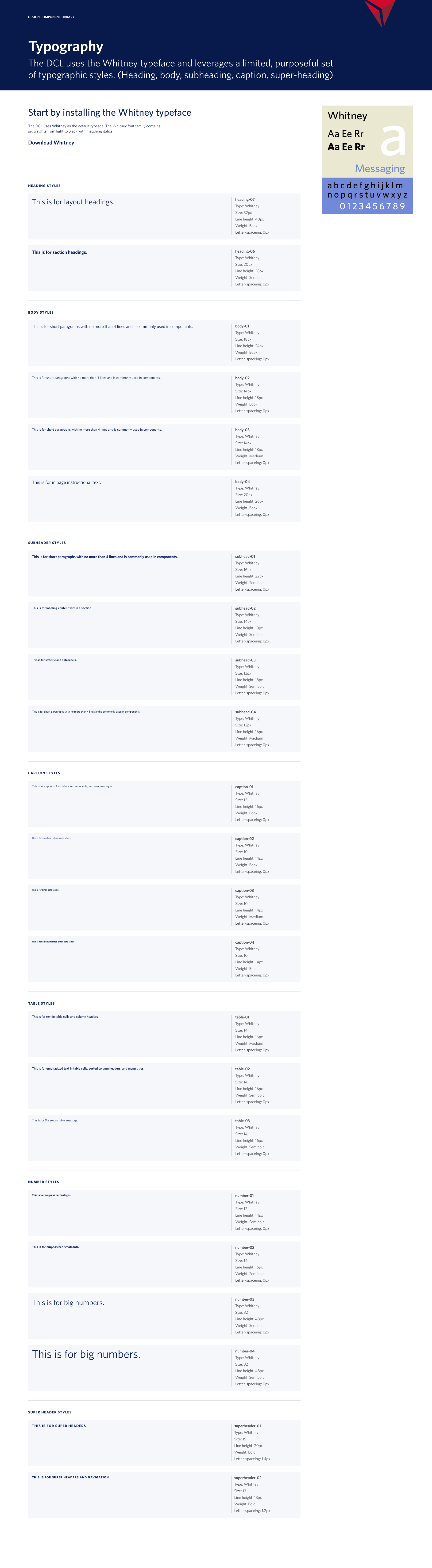
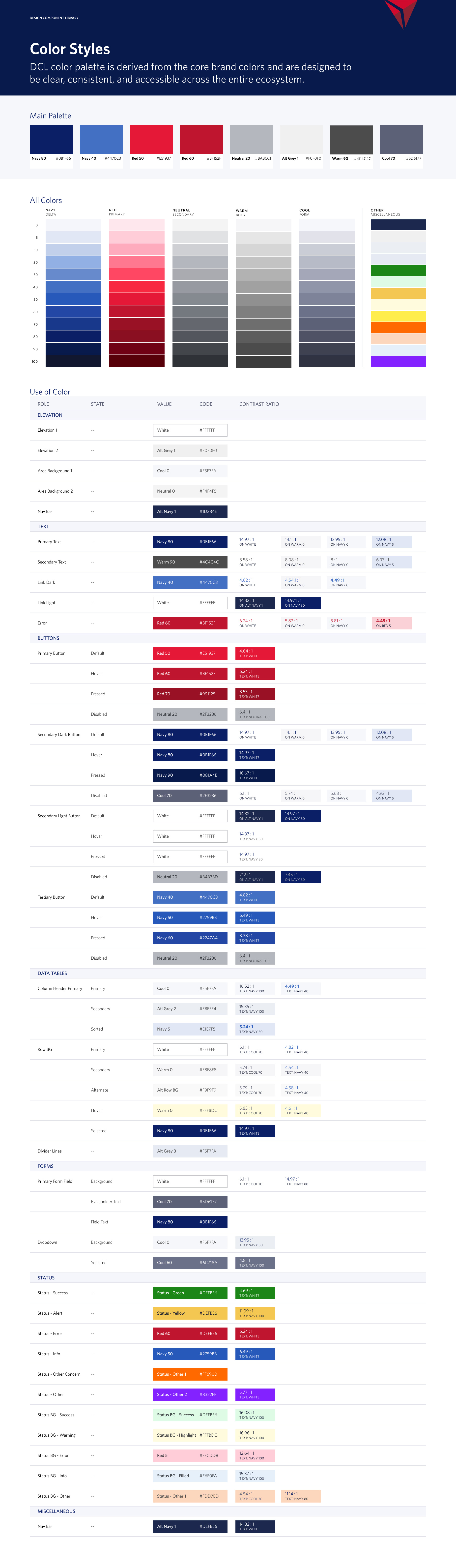
- Built the prototype and reusable design patterns to make the proposed experience tangible.
- Used employee feedback to refine usability and clarify what still needed validation.
The problem
The gap was operational visibility.
Lost equipment and disconnected records made it difficult to answer basic operational questions: who has a device, is it available, and what needs to happen next?
The design challenge was to connect inventory, employee assignments, and repair status in a shared workflow that fit into daily operations.
Research
One inventory, three different decisions.
I interviewed employees across IT, operations, and repair to understand the decisions each role needed to make. Competitor analysis helped distinguish common inventory features from the workflows that mattered in Delta’s environment.
Clear visibility into device assignments and inventory.
IT specialists
Reliable repair-status updates.
Repair technicians
Fast check-in and check-out without another task-heavy system.
Employees / Operations
- The priority was clear device status and low-friction handoffs. A broader feature set would add little value if employees could not complete routine tasks quickly.
Product decisions
Prioritize the next action, not another dashboard.
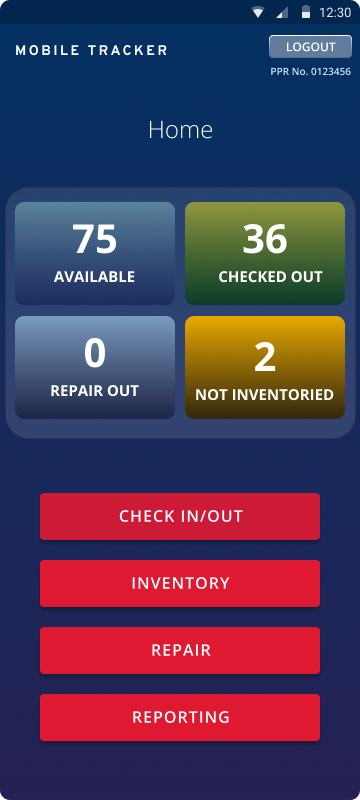
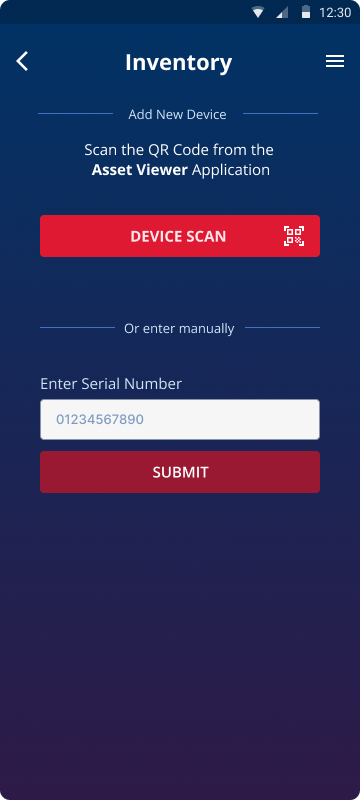
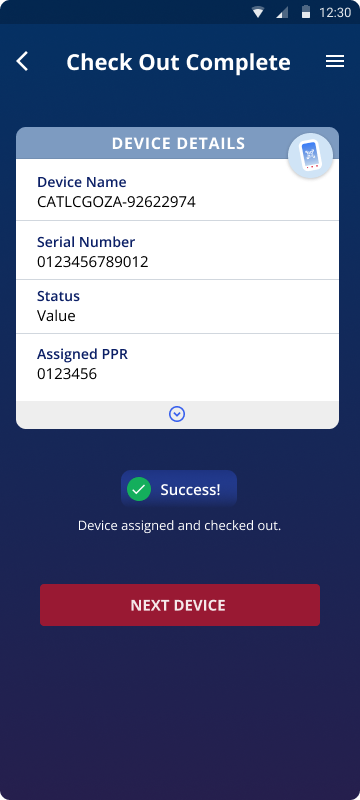
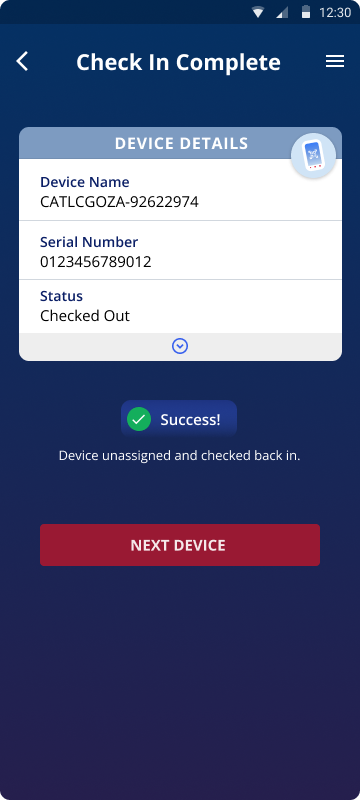
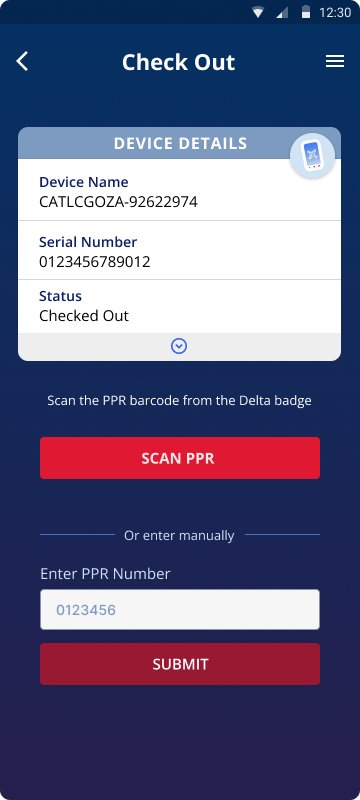
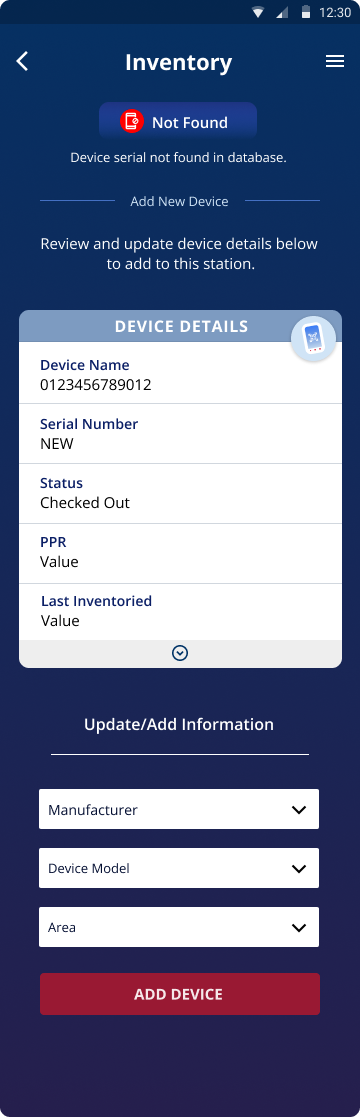
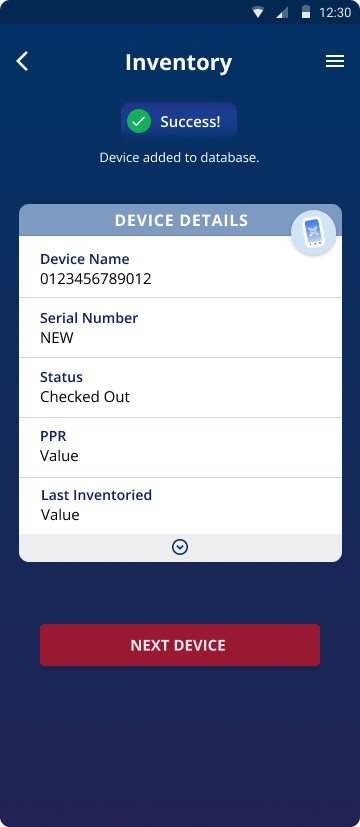
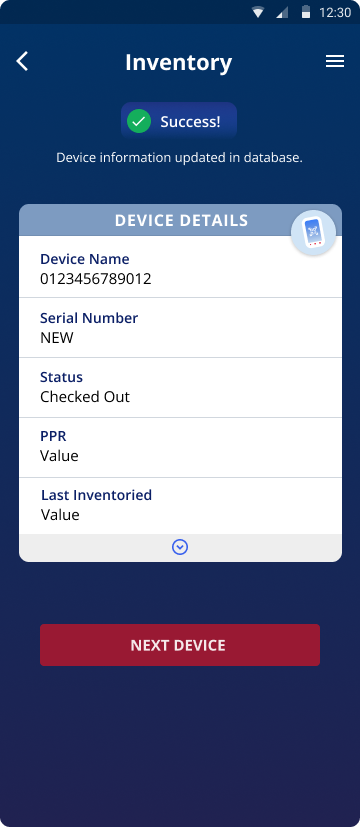
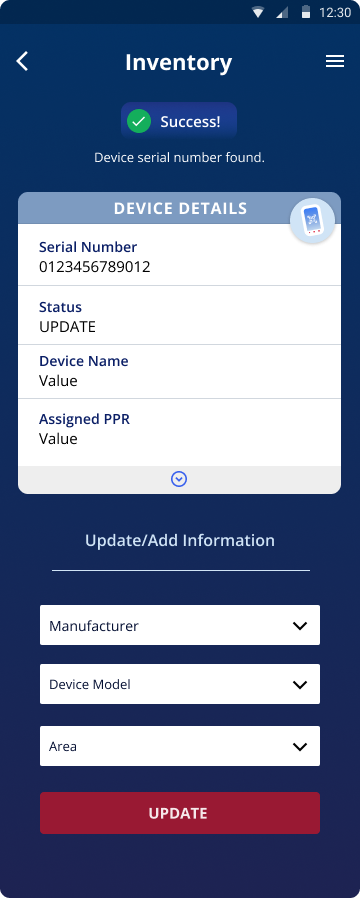
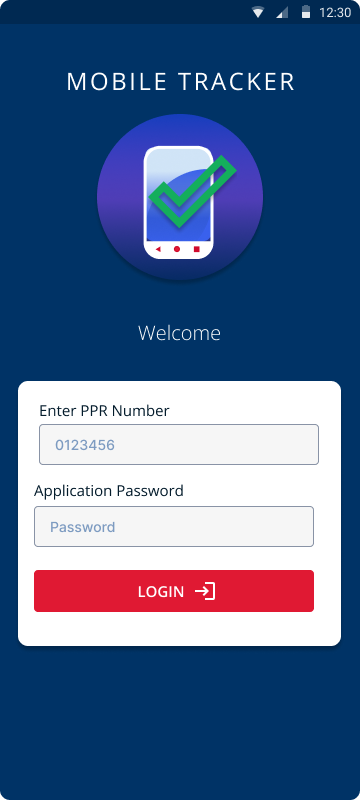
I mapped the core flows before building the high-fidelity prototype: check a device in or out, add inventory, and update repair status. These flows shaped the dashboard and the information each role needed at the point of action.
- Make status actionable
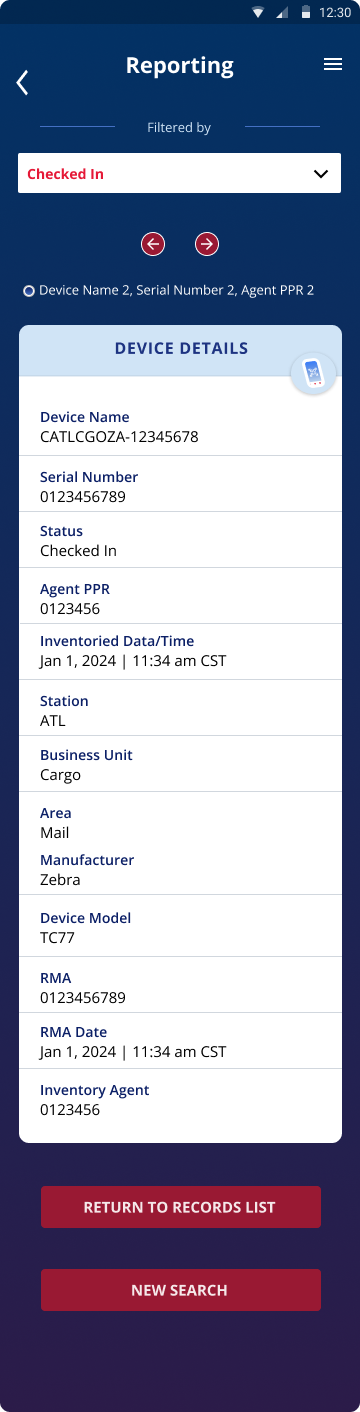
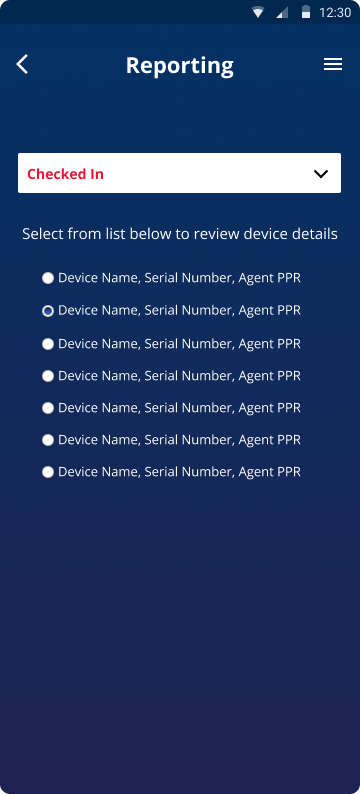
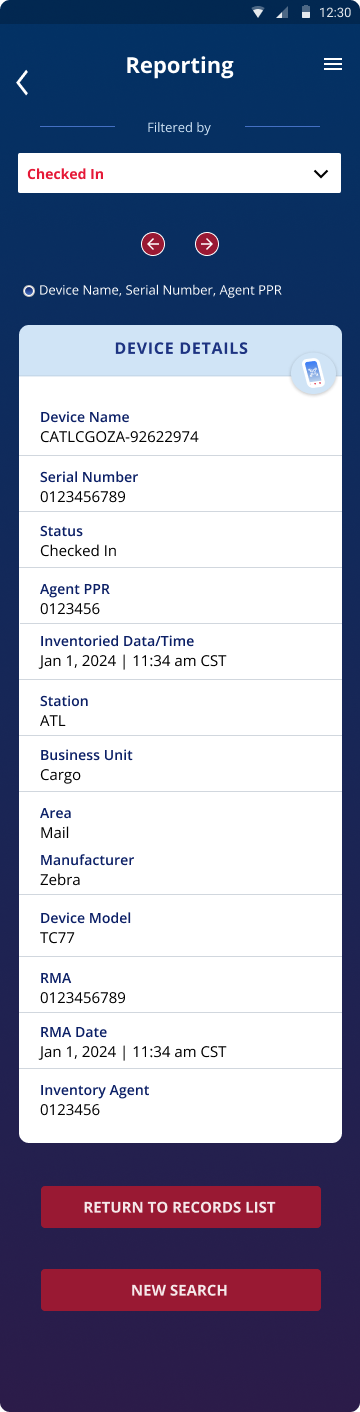
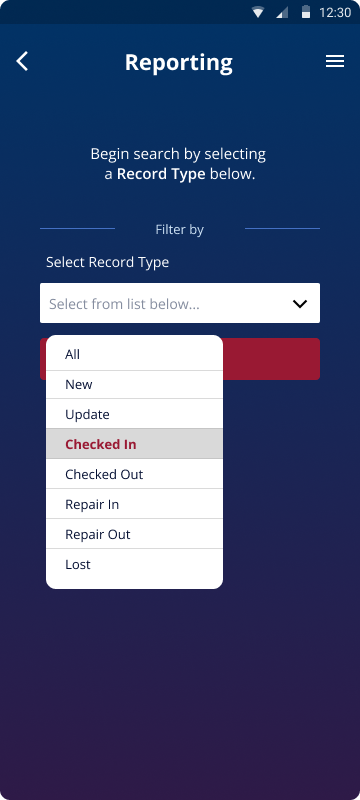
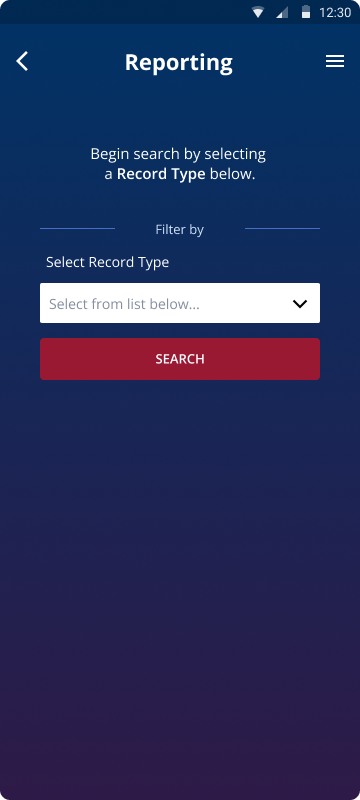
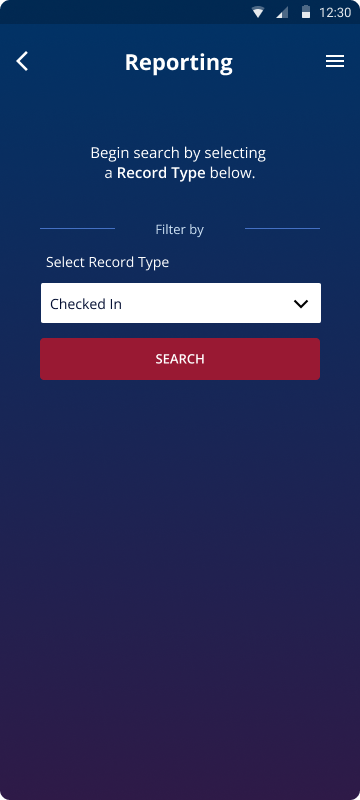
- Availability, assignment, and repair state were visible together, with search and filters for quick lookup.
- Use the device’s existing capabilities
- Scanning and check-in lived in the mobile app, reducing reliance on additional equipment and manual entry.
- Make changes easy to understand
- Clear labels, confirmation states, color contrast, and larger touch targets supported confident use during routine operational tasks.
- Why this approach
- I prioritized status visibility and fast handoffs over feature breadth. Reporting provided an overview within the concept while leaving room for a broader system later; that larger system was outside this prototype’s scope.
Validation
Test the workflow before claiming the benefit.
Employee testing focused on navigation, check-in/check-out, and whether device status was understandable. I used the feedback to refine the prototype’s clarity and flow.
Feedback supported the usefulness of a centralized view and the potential to save time. This was concept-level evidence—not a measured reduction in device loss, operating cost, or task completion time.
Outcome
An operational opportunity stakeholders could evaluate.
- The concept placed 20th out of 184 entries in the Delta Innovation Project.
- The prototype gave stakeholders a concrete way to evaluate the workflow and discuss the opportunity before detailed product requirements were defined.
Next steps
What I would measure before scaling.
To move from a promising concept to a product decision, I would define a pilot with IT, operations, repair, and engineering. These are proposed next steps, not completed work.
- Establish a baseline
- Compare task completion time, inventory discrepancies, and repair-update delays before and during the pilot.
- Check adoption and feasibility
- Assess whether employees use the workflow consistently, and validate data ownership, update reliability, and integration needs with the delivery team.
- Set a go/no-go decision
- Agree on success thresholds before launch. Use the pilot evidence to decide whether to scale, revise the scope, or stop.


Swipe or use the arrows to explore each screen. Use Enlarge image when a design needs a closer look.